
UI and UX Design Services
UI and UX design shapes how people use your product. We start with the tasks users need to finish, then design screens that make those tasks simple.
Overview
Good design is measured by whether a user can finish a task without getting stuck. A nice screen is not enough if the steps are unclear.
We begin with wireframes and clickable prototypes, and test them with real tasks before any production code is written. This finds problems while changes are still cheap.
A design system is a shared set of colors, fonts, spacing and components. It keeps every screen consistent and helps engineers build new screens faster.
Accessibility is part of the design from the first wireframe. We check color contrast, keyboard focus order and the size of touch targets.
A full design system is worth it when a product has many screens and consistency is at risk. For a small tool with one main flow, a lighter set of components is usually enough.
Who this service is for
Product teams with a working system that users are struggling to use, not a from-scratch idea that still needs validating.
When not to choose this service
Not the right choice if the product is still an idea to test. Validate the idea first, then design.

Engineering
Real Engineering Behind Every UI and UX Design Services Engagement
Designs are handed over in a form engineers can build from. Colors, components and screen states are documented, so the built product matches the design.
Problems UI and UX Design Services solves
Design Added After the Fact
A visual pass applied after the logic is built rarely fixes the friction that was actually the problem.
Inconsistent Screens as Products Grow
Without a real design system, every new feature invents its own spacing, color, and component style.
Flows Never Tested Against Real Tasks
A prototype that looks right in a design tool can still fail the moment a real user tries to complete a real task.
Gaps Between Design and Engineering
A design that was never built with engineering constraints in mind creates rework once development starts.
Features
Research-Informed Wireframes
Structure and flow decided around the real task a user needs to complete, before visual design begins.
Interactive Prototypes
Clickable prototypes tested against real tasks before a line of production code is written.
A Real Design System
Reusable components, typography, and spacing rules that keep every screen consistent as the product grows.
Dashboard and Mobile UI
Interface design for complex data-dense dashboards and mobile-specific interaction patterns alike.
Benefits of UI and UX Design Services
Fewer Engineering Changes Later
Design choices are checked against engineering needs early, so fewer changes are needed during the build.
One Design System
Shared components and rules keep new screens consistent.
Tested Before the Build
Flows are tested with real tasks before production code is written.
Clear Handoff
Designs and components are documented, so engineers can build from them.
Our Process
Design work follows four steps, and each step ends with something you can review.
- 01
Task mapping
We list the tasks users must finish and the points where they get stuck today.
Task map
- 02
Wireframes and prototype
We design the main screens and a clickable prototype of the key flows.
Clickable prototype
- 03
User testing
We test the prototype with real tasks and change what users find hard.
Test findings and revisions
- 04
Design system and handoff
We set up shared components and rules, then hand over designs your engineers can build.
Design system and handoff file
Design and prototyping tools we use
- Figma
- Next.js
- Tailwind CSS
- Storybook
Industries that use UI and UX Design Services
Where ui and ux design services most commonly makes an impact.
- Startups
- Healthcare
- Finance
- Ecommerce
Product Design
Product Design Foundation
Research-informed design, validated before a single line of code is written — so your engineering team builds the right product once, not the wrong one twice.
What’s Included
- Research-Informed Wireframes
- Interactive Prototypes
- Design System
- Dashboard & Mobile UI
- Usability Testing
- Developer Handoff Files
- Accessibility Review
- Design QA During Build
Every Engagement Includes
- Product Discovery Workshop
- Dedicated Design Lead
- User Research & Interviews
- Full Design File Ownership
- Interactive Figma Prototype
- Usability Testing Report
- Accessibility Audit
- Developer Handoff Documentation
- Team Training on the Design System
- 30 Days Post-Handoff Support
Starting From
PKR 200,000
Approx. USD $720 (reference only)
Final investment depends on your project scope, features, integrations, and business requirements discussed during the discovery session.
Every price is confirmed in writing before work begins — no hidden charges, ever.
Optional Add-Ons
- + Motion & Micro-Interaction Design
- + Brand Identity Refresh
- + Design System Governance Workshop
- + Usability Testing Panel Recruitment
What Happens After Handoff
Day 30
Handoff
- Design system handed off to engineering
- Team trained on the component library
- Prototype usability findings documented
Day 60
Build QA
- Design QA on the first built screens
- Gaps between design and build resolved
- Design system extended for new screens
Day 90
Grow
- Roadmap for the next product surface
- Usability review of the shipped product
- Long-term design-system plan
Ownership
What you receive from UI and UX Design Services
Every ui and ux design services engagement ends with the same ownership terms — nothing withheld, nothing licensed back to us.
Clickable prototype
The prototype for the main user flows, ready for review.
Design system file
Shared colors, type, spacing and components, with usage rules.
Test notes
What users did in testing, and the changes that followed.
Handoff specs
Specs that engineers use to build each screen and state.
Frequently Asked Questions
Do you design first or build first?
Design first — wireframes and prototypes get tested against real tasks before any production code is written, so the engineering effort goes into a validated flow.
Can you design without also building the product?
Yes — UI/UX design can be scoped as its own engagement with a full handoff, though most clients pair it with development for a single accountable team.
What is a design system and do we need one?
A design system is a shared set of components, typography, and spacing rules — worth it once a product has more than a handful of screens, since it is what keeps them visually consistent as more get added.
Do you do user research?
We ground design decisions in the real tasks and constraints you already know about your users; formal user-research studies can be scoped separately if the project needs them.
What tools do you design in?
Figma, for both static design and interactive prototyping — the same tool your team can continue using after handoff.
How long does a UI/UX design engagement take, and what affects cost?
The number of distinct user flows and whether a design system already exists are the main factors — designing three core flows from scratch takes less time than a full multi-role dashboard redesign.
What’s a common design mistake growing products make?
Letting every new feature invent its own visual language. A real design system, established early, is what prevents a product from looking like several different apps stitched together.
When is a full design system overkill?
For a small, single-flow tool with only a handful of screens, lighter wireframing without a formal component library is a reasonable, faster starting point. A design system earns its setup cost once a product has enough screens that visual consistency is genuinely at risk.
What should we prepare before a design engagement starts?
Existing brand assets if you have them, and a rough list of the core tasks users need to accomplish — you don’t need finished requirements or wireframes; that’s exactly what the research and wireframing phase is for.
What affects design project complexity most?
The number of distinct user flows and roles, not screen count alone — a dashboard with three permission levels each seeing different views is more involved to design well than a longer but single-role flow, even with fewer total screens.
How does a design system typically evolve after launch?
New components get added to the shared library as genuinely new patterns emerge, rather than each feature inventing its own — periodic review against real usage is what keeps the system reflecting how the product actually gets used, not just how it launched.
Related Services
Marketing Website Development Services
Custom marketing websites built as real code, not templates. We build fast, clear sites that explain your business and help visitors contact you.
Learn More about Marketing Website Development ServicesCustom Web Development Services
Custom web development for business web apps. We build software around your workflow and data, not around the limits of an off-the-shelf tool.
Learn More about Custom Web Development ServicesMobile App Development Services
Mobile app development for iOS and Android. We build native or cross-platform apps that work well on real devices and are easy to maintain.
Learn More about Mobile App Development Services

Delivery
After launch with UI and UX Design Services
Products change over time. We help your team keep the design system up to date as new screens and features are added.
Related Case Studies
Real projects where ELACTRO delivered this service.
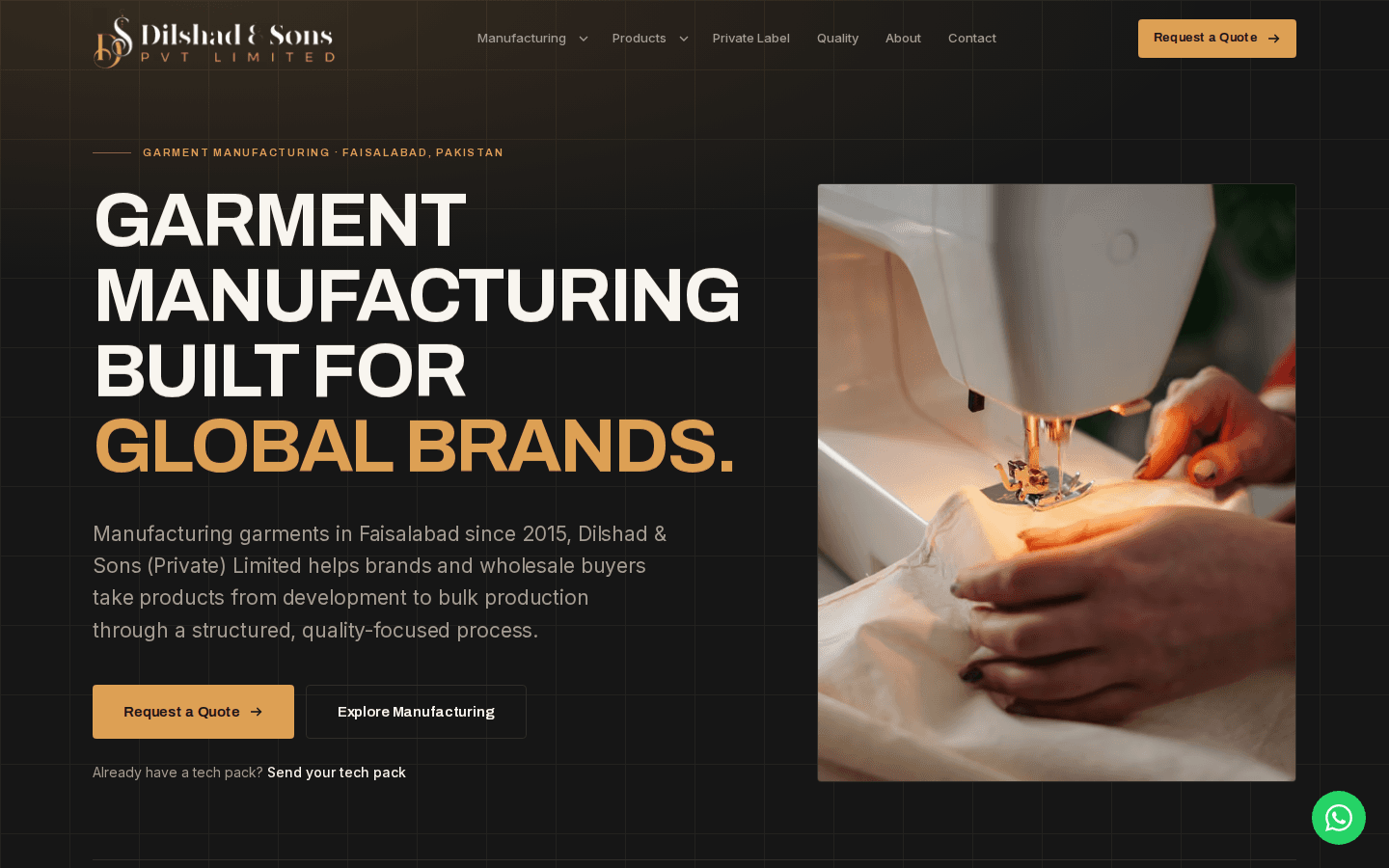 Live in Production
Dilshad & Sons (Private) Limited
How ELACTRO built the marketing website for Dilshad & Sons, a Faisalabad garment manufacturer, as its primary channel for new international buyer enquiries.
Marketing Website DevelopmentUI/UX DesignRead the Full Story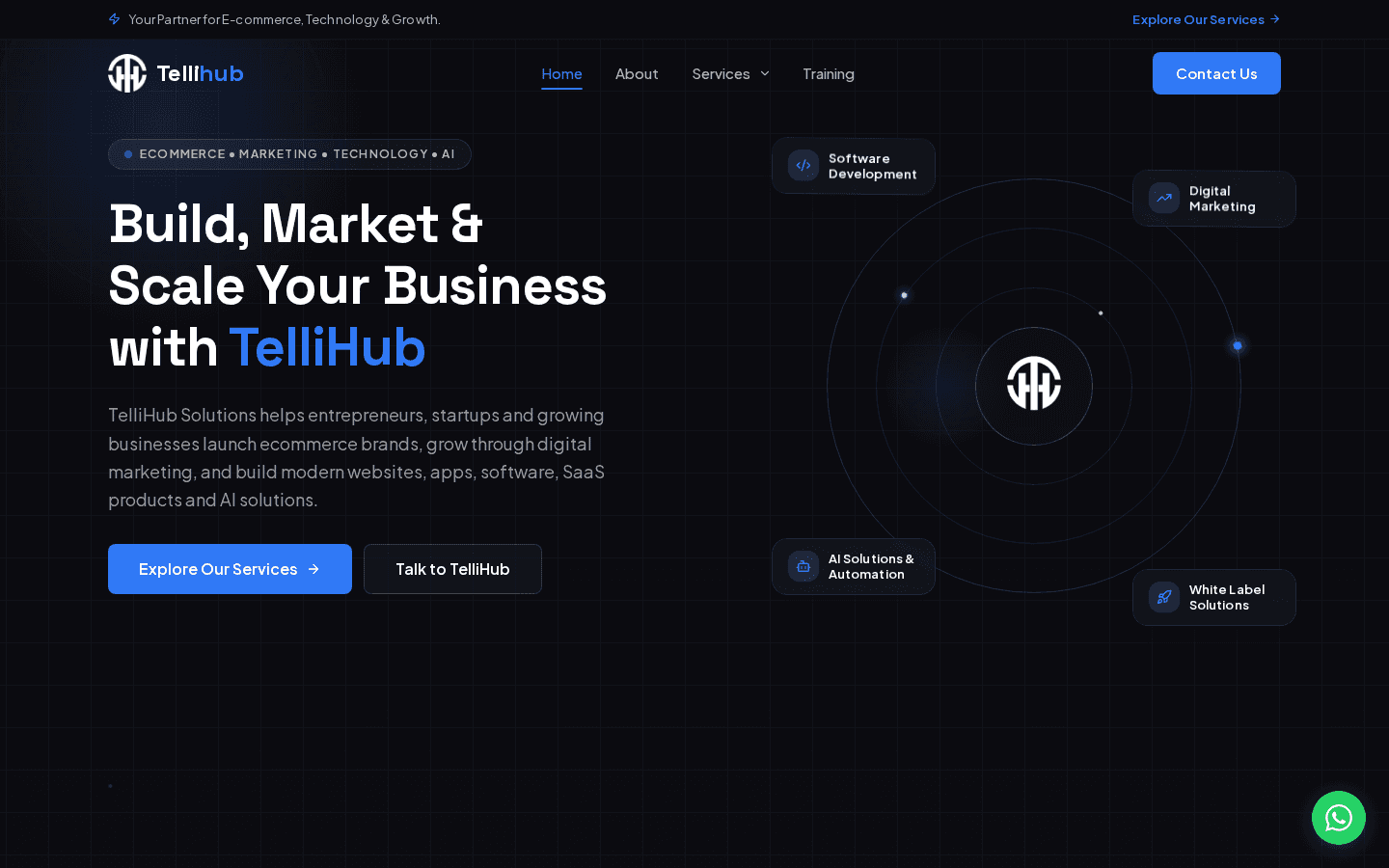 Live in Production
TelliHub Solutions
How ELACTRO built the website for TelliHub Solutions, a Faisalabad growth-partner agency, as both its service catalogue and its own credibility proof.
Custom Web DevelopmentUI/UX DesignRead the Full Story
Ready to Talk About UI and UX Design Services?
Tell us where users are getting stuck in your product, and we'll walk you through how we'd actually fix it.